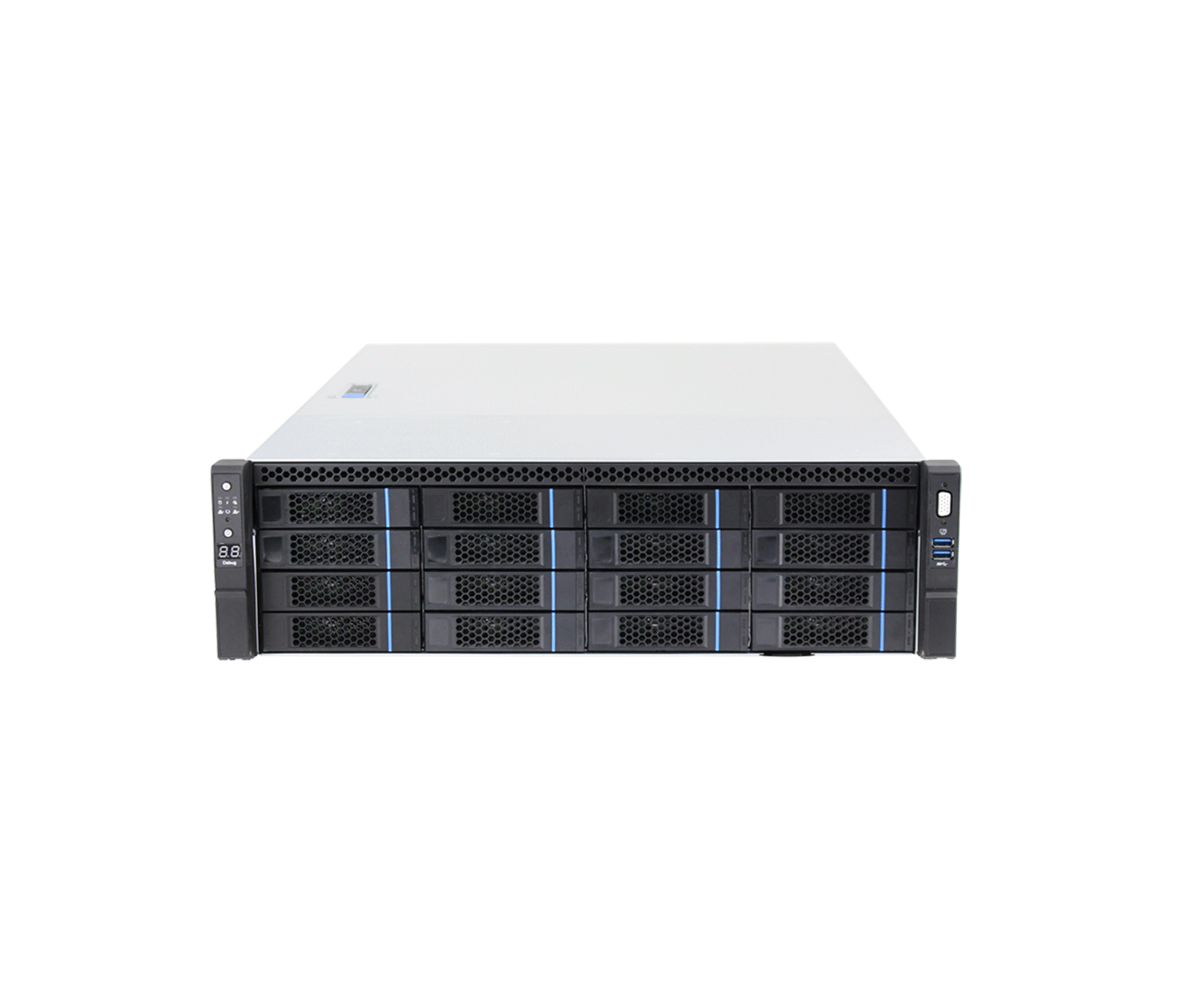
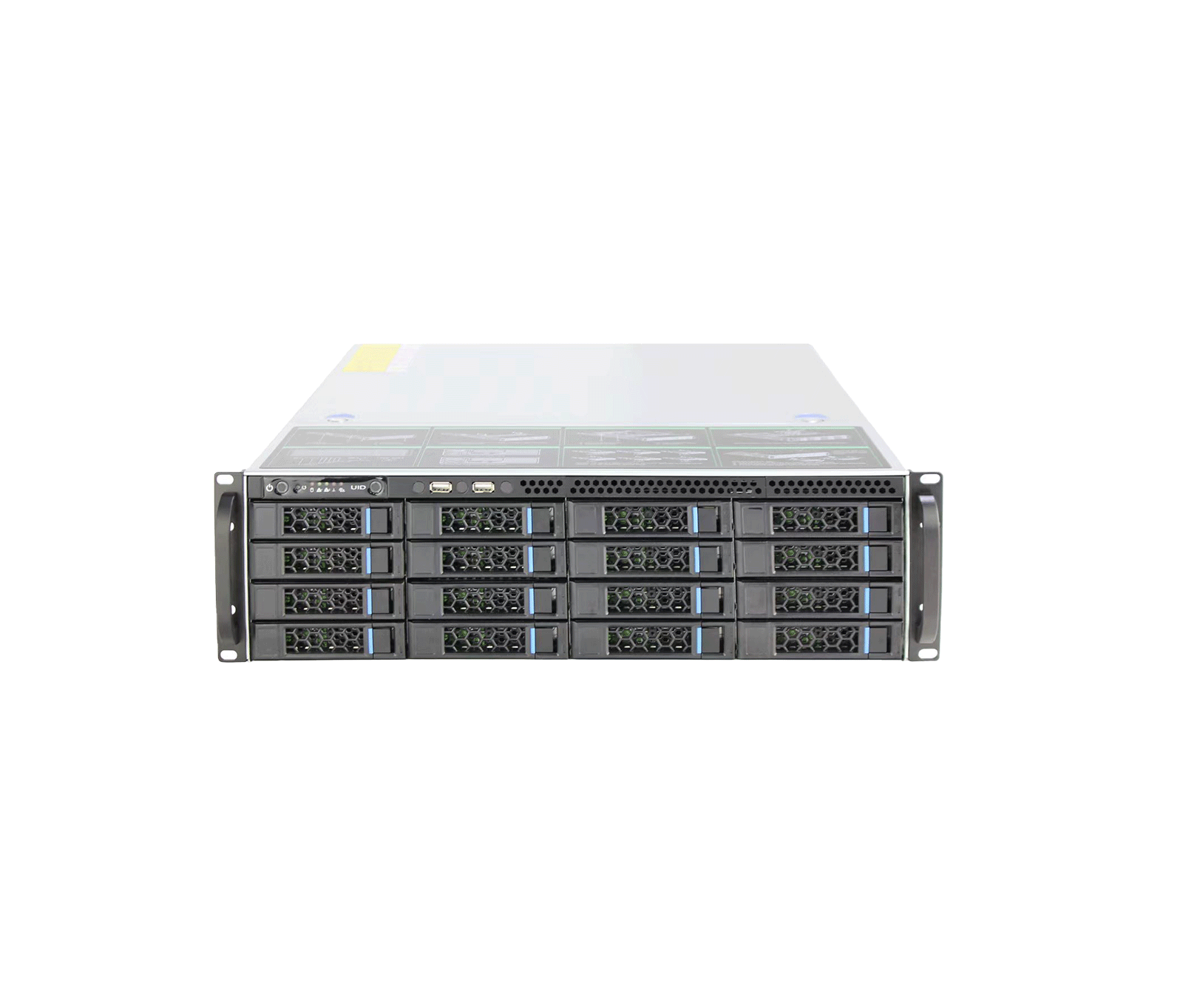
The KH-VSS712-32-400 network video storage server from the advanced Scandium series is a massive enterprise storage system and the heart of video data management in large-scale, critical projects.
-
 NO.of HDDS
16HDD
NO.of HDDS
16HDD
-
 RAID
RAID
RAID
RAID
-
 Port
10G
Port
10G
Overview
The KH-VSS712-32-400 network video storage server from the advanced Scandium series is a massive enterprise storage system and the heart of video data management in large-scale, critical projects. Integrated exclusively with the KDT VMS Plus platform, it manages and continuously records a large number of video channels alongside AI servers. With a rugged metal chassis, a redundant power supply for uninterrupted 24/7 operation and support for hot-swap hard disks on a hardware RAID controller, this surveillance powerhouse provides an extremely secure and stable platform for archiving critical data. Detailed technical specifications and the full feature table for this device are provided further down this page.
System Specification
- Main Processor
- Intel Core i7 High-performance Multi-core Processor
- Operating System
- Windows Server Environment
- Memory
- 32 GB
- OS Storage
- High-Speed M.2 NVMe SSD (Dedicated for OS and VMS Database)
- Operating Software
- KDT VMS Plus
AI Applications
- AI by Camera
- Face detection, Face Recognition, IVS, LPR, People Counting, Video Metadata
- AI by KDT AI Cube
- All Smart Function
- Forensic Search
- Smart Search by Attributes (Gender, Color, Age, Plate) via KDT VMS Plus
- Event Linkage
- Alarm output, PTZ activation, Recording, Snapshot, VMS Pop-up
High Availability
- Cluster Mode
-
N+
M Hot Standby (Automatic Failover and Backup) - Network Resilience
- ANR (Automatic Network Replenishment) supported
- Power Redundancy
- Yes
Interfaces
- Network Interface
- 1 × 10-GbE optical fiber ports (SFP+) 2 × 1-GbE RJ45 LAN ports
- Management Port
-
1 × 1-GbE dedicated IPMI/
BMC port (for remote debug and control) - USB
- Front: 2 × USB 3.0 / Rear: 2 × USB 2.0
- Display
- 1 × VGA
General
- Power Supply
-
100-240 VAC
50-60 Hz
800W 1+
1 CRPS Redundant Power Supply - Form Factor
- 3U Standard 19-inch Rackmount (Anti-EMI Steel Chassis)
- Fan
- Heavy-duty intelligent speed regulation fan (Hot-swappable)
- Operating Temp
- 5~45°C
- Operating Humidity
- 10%–90% (RH), non-condensing
- Dimensions
- 132*437*650 mm
Performance
- No. of Recording Channels
- Up to 400 Channels
- Record Mode
- Auto, Manual, Motion Detection, Schedule
Storage Subsystem
- Disk Bays
-
16 Front Slots
Hot-swappable Anti-EMI Drive Trays (12Gb/
s Expansion Backplane with SGPIO) SATA/SAS - Max Capacity
-
Up to 256TB Raw (Supports Enterprise-grade 16TB/
20TB HDDs) - RAID
- RAID 0, 1, 10, 1E; JBOD (Hardware-based RAID Controller) RAID 5, 6 (Software-based RAID Controller)
- Storage Protocol
-
IPSAN (iSCSI)
Video/
Picture Direct Storage - Disk Group & Storage Pool
- Yes
Network & Interoperability
- Ecosystem Compatibility
- Native integration with KDT AI Cube & Enterprise Workstations
- Third
- ONVIF, RTSP, SDK
- Network Protocol
-
DHCP, FTP, HTTP, HTTPS, IPv4, ISCSI, NTP, RTSP, TCP/
IP, UDP - Network Mode
- Fault-tolerance, Link aggregation, Load balance
Warranty and Support
- Hardware Warranty
- 5-year warranty with next business day on-site service
Downloads
Documentation
-
KH-VSS712-32-400
Compare products
Compare this product with similar products
Please wait
Frequently asked questions: Software
Answers to common questions about this product line, from the KDT Help Center.
Where should I start when choosing the right software?
Start by defining the intended use, the number of devices, the installation environment, the capacity required and your plans for future expansion. Then choose the model and technical specifications based on what the project actually needs.
Which technical specifications matter most for software?
Depending on the project, the most important specifications are capacity, speed, compatibility, environmental ratings, management features and scalability. Basing your choice on a single figure is usually not enough.
Is a cheaper software edition always the right choice?
No. The purchase price is only one factor. You also need to consider reliability, features, service life, after-sales service and maintenance costs.
How do I work out how much capacity a software deployment needs?
Base the calculation on the number of devices, actual usage, how long the system will be in use and how much the project is likely to grow. It is also wise to keep some capacity in reserve.
Can the software be upgraded later?
In many cases, some of the capacity or equipment can be upgraded. However, this depends on the product's architecture and its hardware limitations, so check before you buy.
Didn’t find your answer?